
Cover Shift
Recruit drivers by text to fill an open shift when a route is unassigned or a driver rejects it.
This flow lets you fill an open shift — whether a driver rejected a route or the route was never assigned a driver — by texting eligible drivers and letting them claim it.
Starting the flow
Click Cover Shift in the Edit Drawer of an upcoming route to start.
The recruitment flow
Enter reason for callout
Only shown when recruiting for a route that isn't already rejected by a driver . Enter the reason for the callout.
Select drivers
Choose which drivers to recruit. Only drivers eligible for the route are shown.
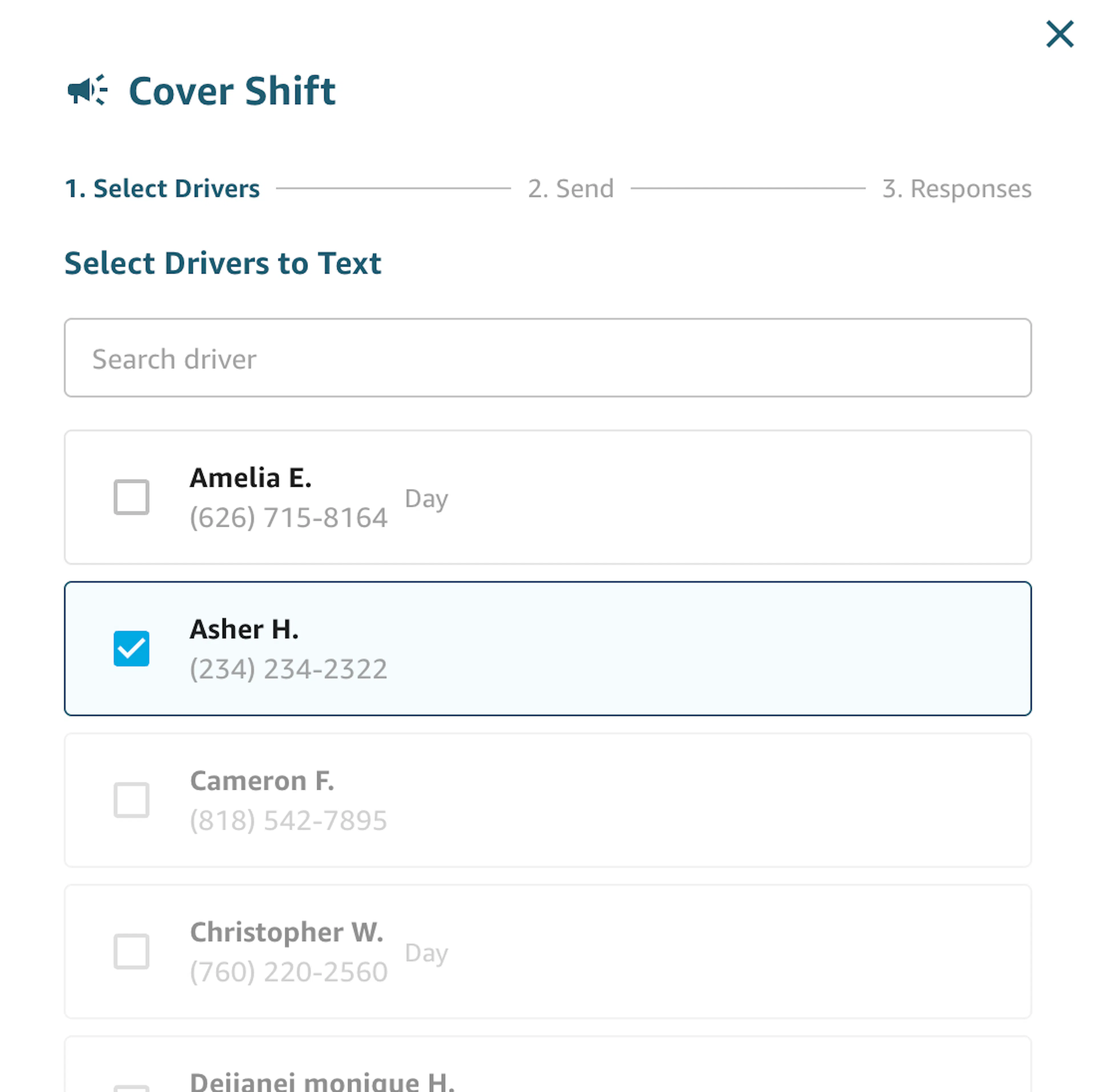
Work in progress: this page will also show each driver's current-week shift hours and rank drivers from lowest to highest hours.
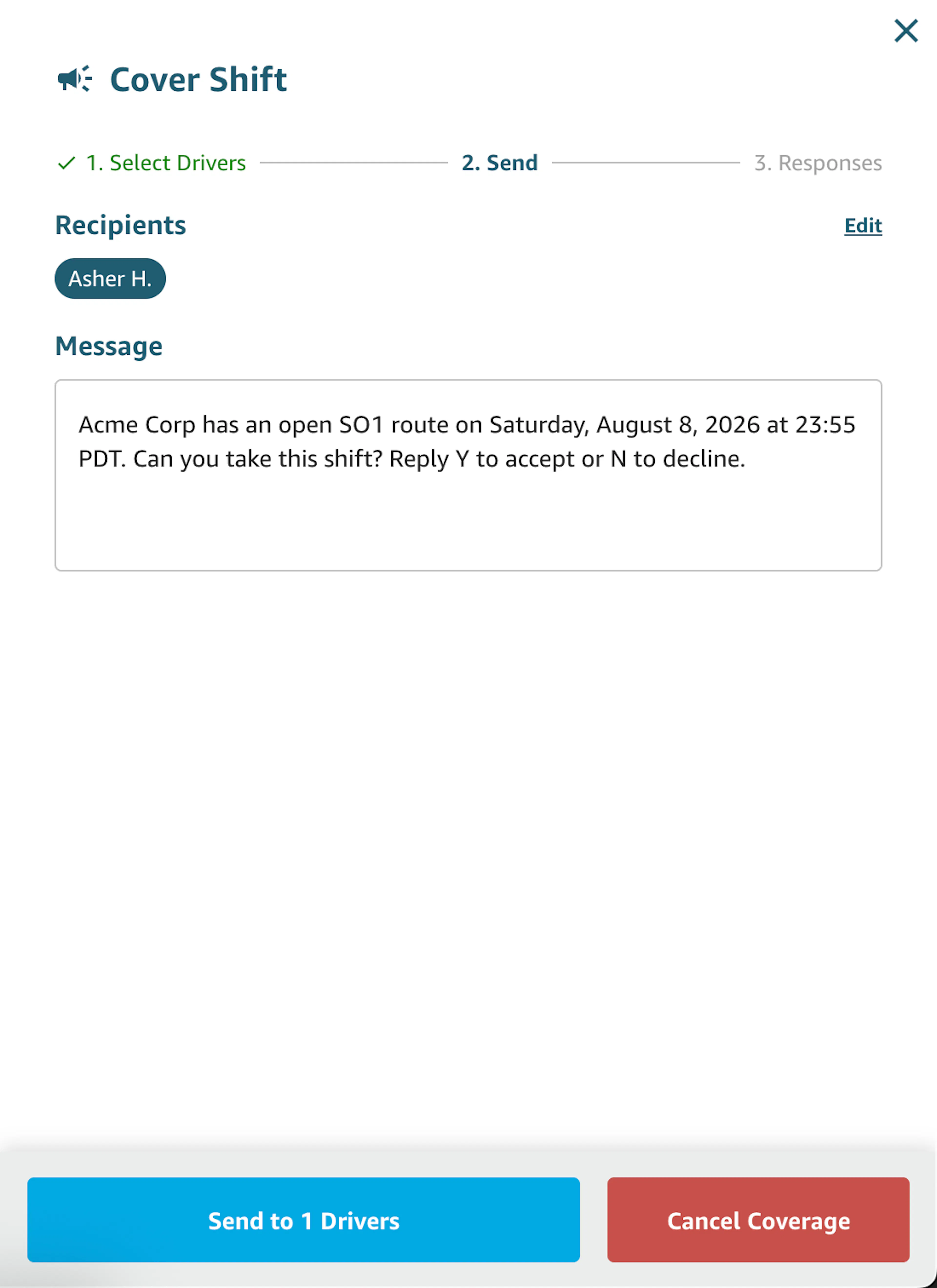
Edit the text message
Review the text template that will be sent to selected drivers. You can modify it — for example, to add an incentive for picking up the shift (extra pay, etc.).
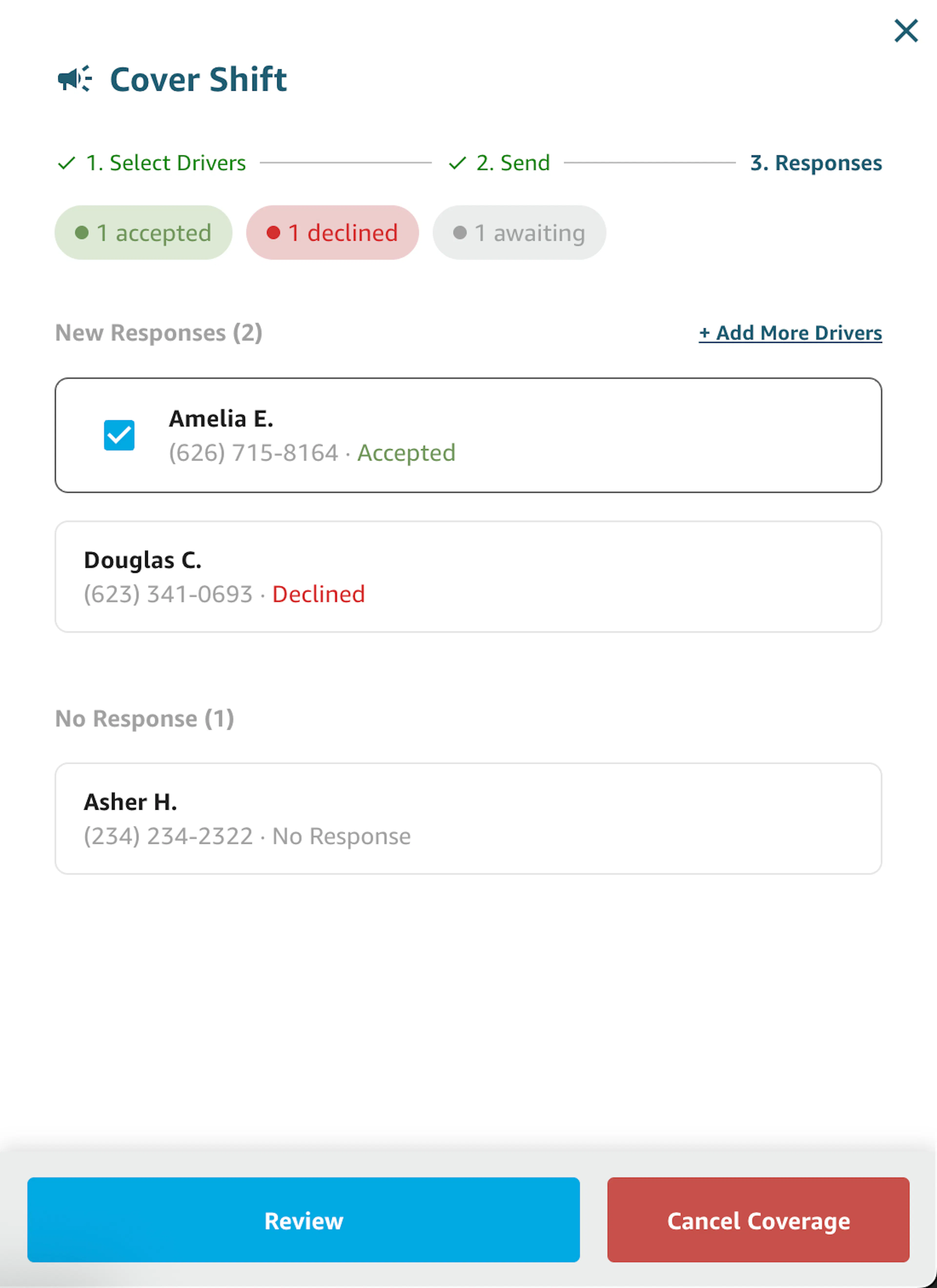
Review responses
See how drivers have responded to the recruitment text. Once you have acceptances, select one of the drivers who replied yes to assign them the route.
You can also navigate back to the Select drivers page to recruit more drivers.
Text message behaviors
Driver responses
Once a recruitment text goes out, a driver can reply:
- Y — to say they're available for the shift
- N — to decline
If a driver replies Y, they receive:
Received, [Name]. You're on the list for the [Route Type and Time] shift on [Date]. We'll confirm shortly.
If a driver replies N, they receive:
You have opted out of the [Route Type and Time] shift on [Date].
Management notifications
When a driver accepts, every management contact on file receives a text:
[Route Block ID] [Driver Name] opted into the shift recruitment for [Route Type and Time] shift on [Date].
Confirming a driver
Once you select a driver to assign the route to:
- The selected driver receives a final confirmation text:
Confirmed, [Driver Name]: [Route Type and Time] shift on [Route Date]. Check Relay for full details — may take a few minutes to update.
- Every other driver who responded receives:
The [Route Type and Time] shift on [Route Date] has been filled by another driver. We'll notify you of the next available pickup.
Canceling the recruitment
If AFP management cancels the recruitment flow, every driver who was originally texted receives:
The [Route Type and Time] shift on [Route Date] is no longer available. We'll notify you of the next available pickup.